
Calorie and Macro Calculator
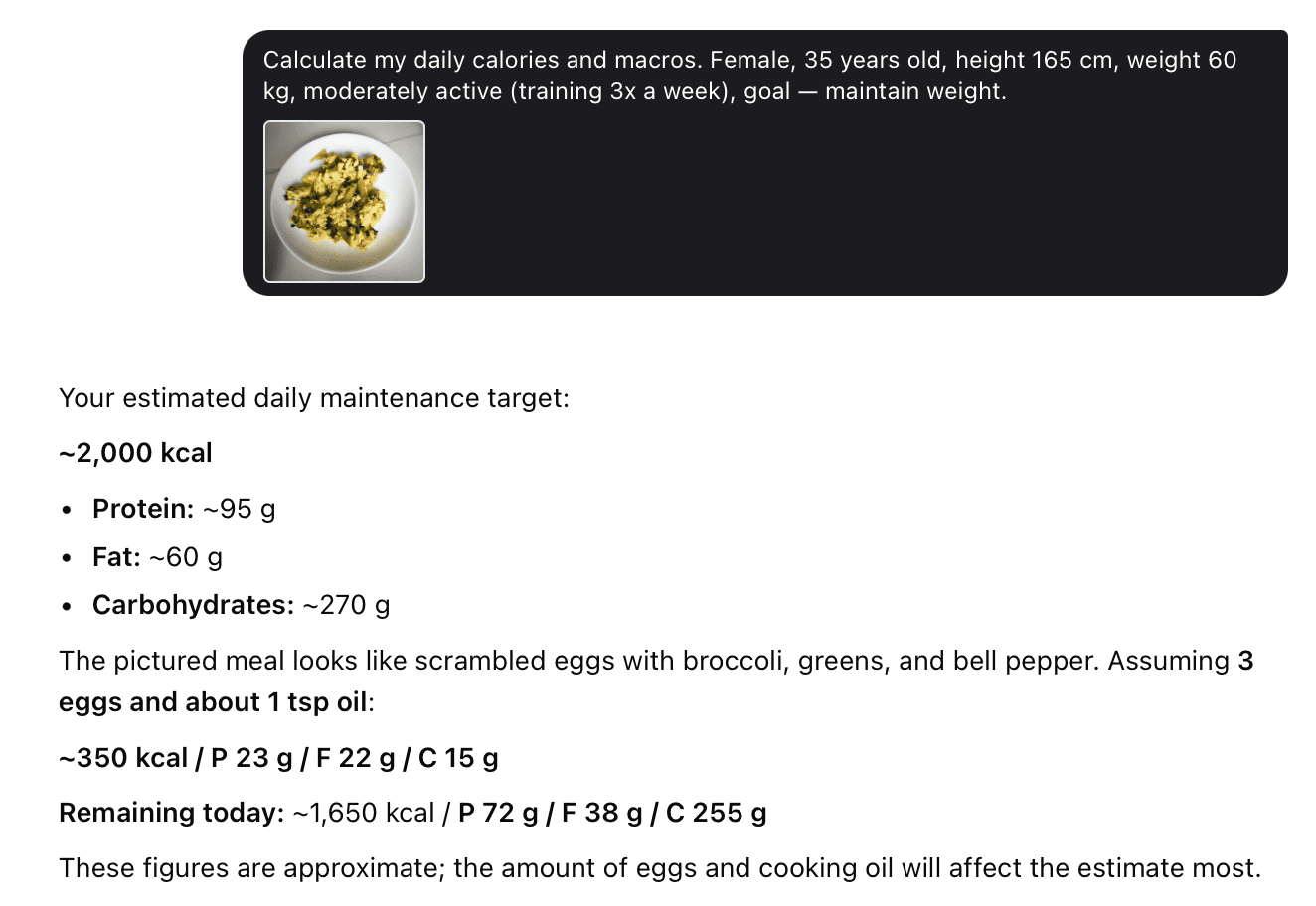
A calorie and macro calculator gives you a personal daily target for calories and the three macros — protein, carbs, and fat — based on your body, activity, and goal. This assistant does that for you in Telegram: it works out your daily targets, and then counts what you actually eat from a photo of your plate.
You don’t fill in long forms or keep a spreadsheet. Tell it a few details, snap your meal, and it shows your numbers and how much is left for the day.
What Macros Are
Macros is short for macronutrients — the three nutrients your body needs in large amounts: protein, carbs, and fat. Every meal is a mix of these three, and each does a different job.
- Protein — 4 calories per gram. Builds and repairs muscle and keeps you full. It’s the key macro in a deficit, because enough protein stops your body from burning muscle for fuel.
- Carbs — 4 calories per gram. Your main fuel, especially for training and the brain. Carbs don’t cause fat gain on their own — a calorie surplus does.
- Fat — 9 calories per gram. Needed for hormones and absorbing vitamins A, D, E, K. It’s the most calorie-dense macro, so it adds up fast.
Counting only calories tells you how much you eat, but not whether you get enough protein to hold on to muscle. Counting macros gives you control over the quality of your intake, not just the amount — which is why macro-based plans usually give better results than plain calorie counting.
How the Calculator Finds Your Daily Targets
Your target isn’t a random number. It’s built in three steps, and the assistant does all of them for you.
Step 1: Your resting burn (BMR)
BMR is the energy your body uses at complete rest — just breathing, circulation, and cells working. Most calculators use the Mifflin-St Jeor formula, which is accurate for most people:
- Men: 10 × weight(kg) + 6.25 × height(cm) − 5 × age + 5
- Women: 10 × weight(kg) + 6.25 × height(cm) − 5 × age − 161
Step 2: Your daily burn (TDEE)
Your real daily burn is BMR multiplied by an activity factor:
| Activity level | Description | Multiplier |
|---|---|---|
| Sedentary | Desk job, little movement | 1.2 |
| Lightly active | Light exercise 1–3x/week | 1.375 |
| Moderately active | Exercise 3–5x/week | 1.55 |
| Very active | Hard exercise 6–7x/week | 1.725 |
Most people pick too high a level, which inflates the target and stalls fat loss. A desk job with four gym sessions a week is still close to sedentary — the training is already in the multiplier. When unsure, pick the lower level.
Step 3: Your goal
The assistant then adjusts your daily burn to your goal — a deficit for fat loss, your maintenance number to stay the same, or a small surplus to gain muscle. That final number, split into protein, carbs, and fat, is your daily target.
How to Use It
- Give the assistant your age, sex, height, and current weight.
- Tell it your activity level — be honest and lean conservative.
- Choose your goal: lose fat, maintain, or gain muscle.
- Get your numbers: daily calories plus grams of protein, carbs, and fat.
- From then on, just send a photo of each meal — the assistant counts it and tracks what’s left for the day.
Counting What You Eat — From a Photo
This is where the assistant does more than a plain calculator. Instead of searching every product in a database and logging grams by hand, you photograph the plate.
- Send a photo of your meal, or describe it in text or voice.
- The assistant recognizes the foods and estimates the portion.
- In a couple of seconds it returns calories and macros, and shows how much is left before your daily target.
It also catches the calories people usually forget — oil in the pan, dressing on a salad, sauce on the side. These “hidden” calories are often 200–300 a day, and they’re what quietly breaks a manual count. Just add a couple of words — “salad with dressing”, “fried in oil” — and they’re included.
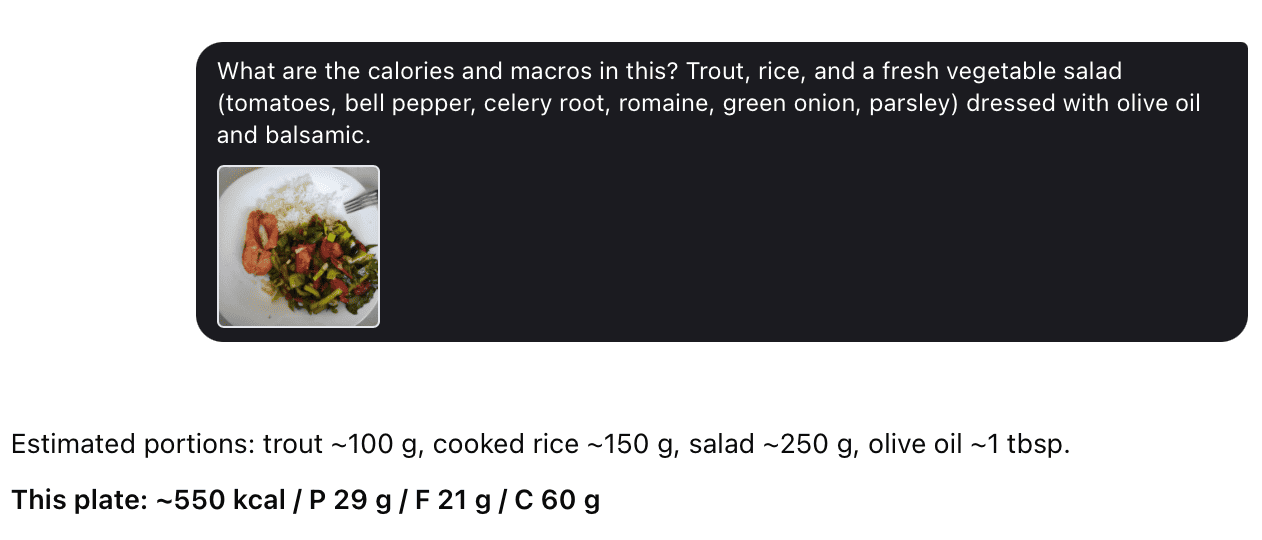
How to photograph food well
- Shoot at about a 45° angle, not straight down — the plate area and the height of the food are both visible.
- Put a fork or spoon in the frame; it gives scale for the real portion.
- Use good light. In the dark, foods blend together and accuracy drops.
- For a mixed dish, spread the ingredients slightly before the shot.
When a photo won’t work — a soup, a layered salad, food in a container — just describe it in words. Text works as well as a photo.
Macros for Weight Loss
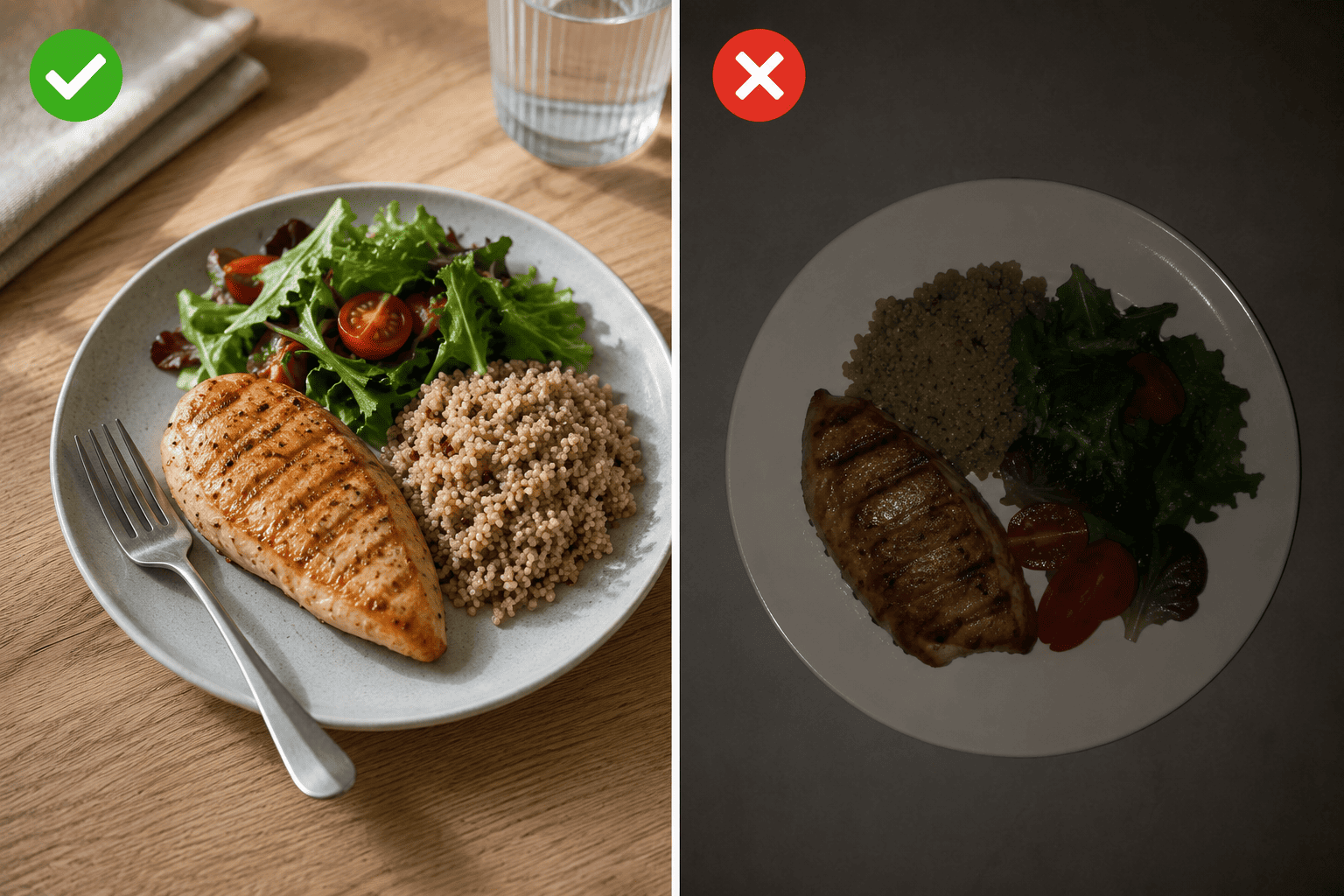
Fat loss needs a calorie deficit — eating below your daily burn. The trick is a deficit big enough to work but small enough that you keep muscle and energy.
| Deficit | Cut from daily burn | Best for |
|---|---|---|
| Mild | −10% | Beginners, very lean people, long term |
| Moderate | −15–17% | Most people; a solid default |
| Aggressive | −20–25% | Faster results; needs tight tracking |
For most people that’s 200–500 fewer calories a day, and about 0.5–0.75% of body weight lost per week — the rate that protects muscle. Faster than 1% a week raises the risk of losing muscle.
Protein is the priority when cutting. Higher protein is the single best lever for keeping muscle in a deficit — usually around 1 g per pound of goal bodyweight (about 2.2 g/kg). The rest of the calories split between carbs and fat by preference.
As you lose weight your body adapts — your burn drops a little and hunger rises. That’s normal, not damage. A moderate deficit keeps this in check, which is why the assistant steers you toward a sustainable target rather than an extreme one.
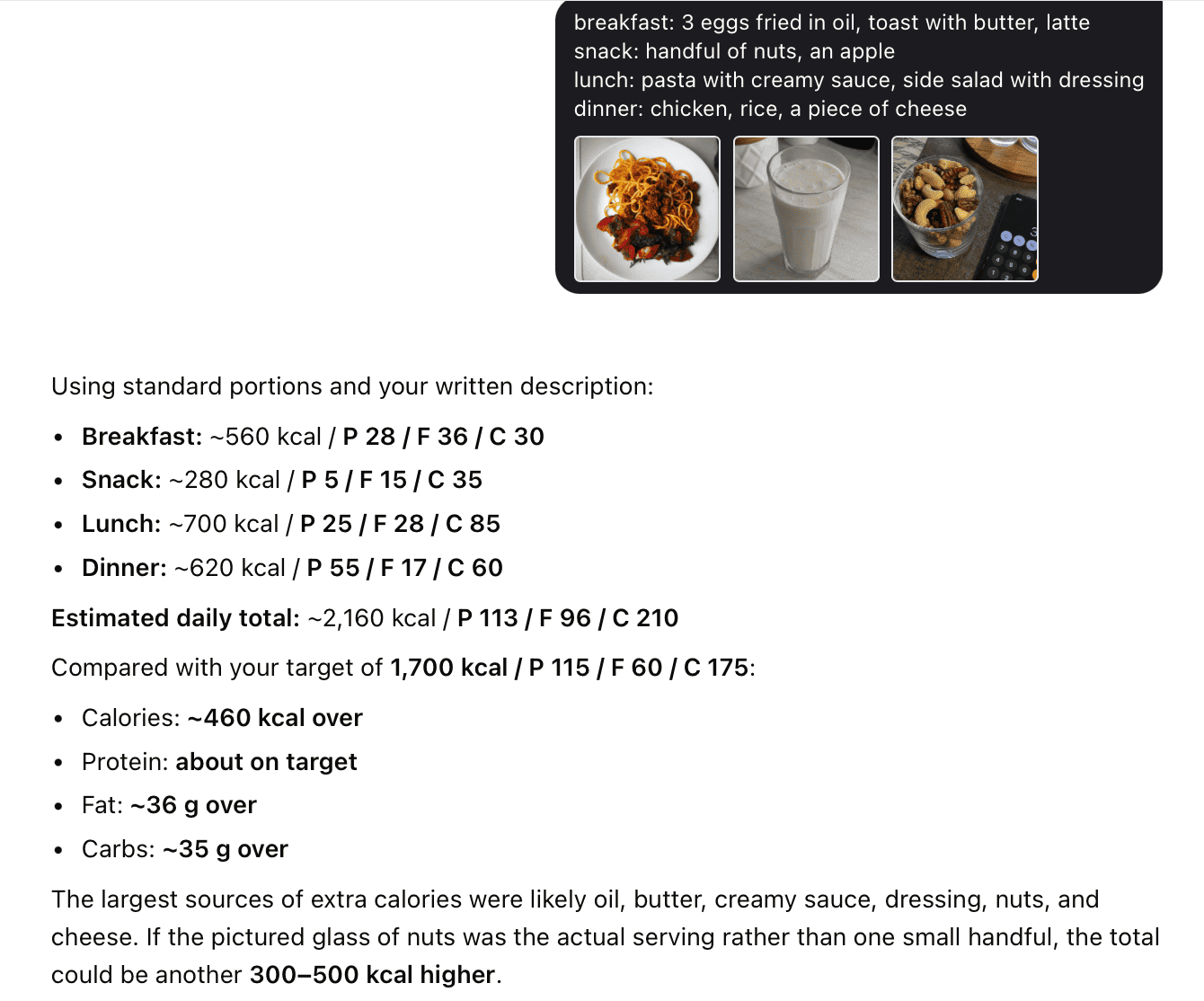
Jenna was sure she ate “pretty clean” but the scale wouldn’t move down. For three days she just logged every meal and snack. The totals kept landing around 500 calories over her target — every single day. Nothing dramatic: oil in the pan, butter on the toast, creamy sauce at lunch, dressing on the salad, a handful of nuts, a piece of cheese. None of it felt like “eating,” but it added up to the exact gap that was stalling her progress. Her protein was fine — the extra came almost entirely from fat. Seeing the real number was the whole fix.
Macros for Muscle Gain
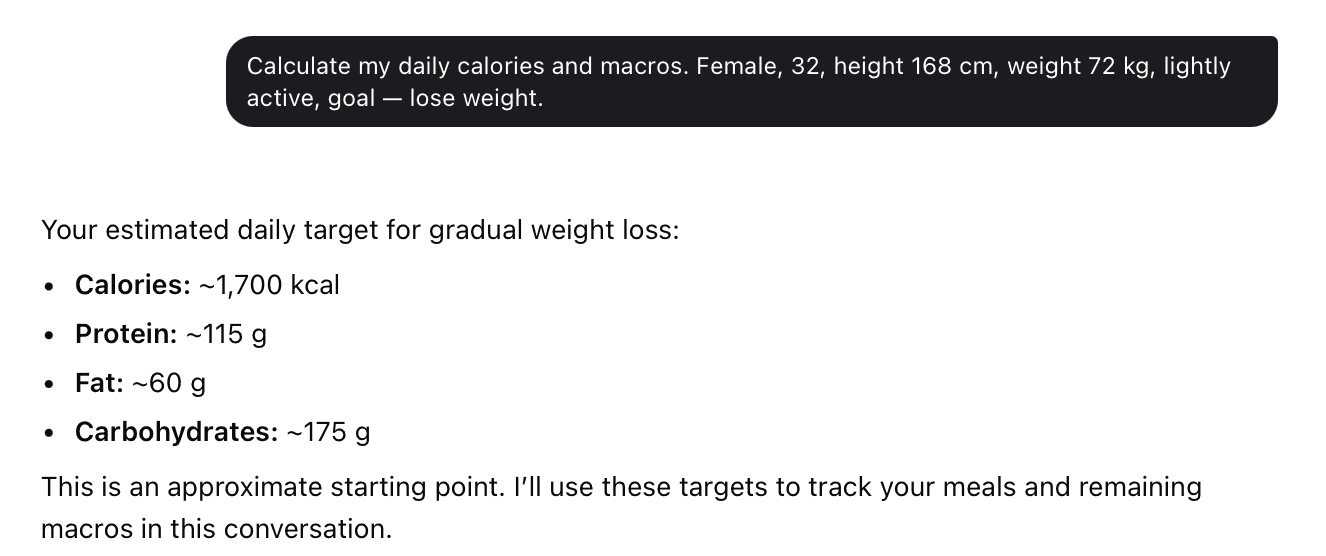
Building muscle needs a small surplus — but the usual “add 500 calories” advice builds more fat than muscle for anyone past the beginner stage. Size the surplus to your training experience:
| Experience | Surplus | Gain per month |
|---|---|---|
| Beginner | +150–175 cal | ~1.5–2% bodyweight |
| Intermediate | +75–120 cal | ~1%/month |
| Advanced | +75 cal or less | ~0.5%/month |
A modest surplus lets you grow lean. Bigger surpluses don’t build muscle faster past a point — they just add fat you’ll diet off later. Keep protein around 0.7–1 g per pound, and fill most of the rest with carbs to fuel training.
Maintenance and Body Recomposition
Setting calories at your daily burn holds your weight steady while supporting training. Good for beginners learning to track, athletes in-season, or a break between fat-loss phases.
Losing fat and gaining muscle at once — body recomposition — is possible, just slower. Set a slight deficit (−10%), keep protein high, and train with resistance work. It’s most effective for beginners, people returning after a break, and anyone who doesn’t need a big weight change.
Macro Ratios by Goal
Macro percentages are guidelines, not rules. What decides results is hitting your calorie total and getting enough protein — the carb/fat split is mostly preference.
| Goal | Protein | Carbs | Fat |
|---|---|---|---|
| Fat loss | 35–40% | 30–40% | 20–30% |
| Maintenance / recomp | 30% | 40% | 30% |
| Muscle gain | 25–30% | 40–50% | 20–30% |
Higher carbs suit people who train often; higher fat suits those who prefer fewer, larger meals. Neither is better for fat loss or muscle gain as long as protein and calories are on target. No food is off-limits — if it fits your day, it fits.
How to Track With the Assistant
You don’t keep a table — the assistant does it. Each photo or description adds to your day, and it shows the running total against your target.
A few things that make tracking work:
- Make protein the number you hit first — it’s the hardest to reach.
- You don’t need to be perfect — landing within 5–10 g of each target is enough.
- Keep Greek yogurt, cottage cheese, or a protein shake on hand for days you’re short.
- Week-to-week consistency matters far more than any single perfect day.
When to Recalculate
Recalculate your targets when:
- Your weight changes by about 10 lbs either way.
- Your activity changes a lot — new job, more or less training.
- Your goal changes — from cutting to maintenance, and so on.
Don’t recalculate after one week. The first week’s scale jump is mostly water. Track for about three weeks to see a real trend before changing anything.
Macros vs. Calories
A calorie is a unit of energy. Macros are the three nutrients that provide it:
- 1 g protein = 4 calories
- 1 g carbs = 4 calories
- 1 g fat = 9 calories
Your macros add up to your total calories — so tracking macros tracks calories automatically, and adds protein control on top. Both approaches work for weight change, but macros give better control over body composition: losing fat while keeping or building muscle.
Start Now
Send the assistant a photo of your plate, or just describe your meal — and get your calories and macros in a couple of seconds.
FAQ
- How do I calculate my calories and macros?
Give the assistant your age, sex, height, weight, activity, and goal. It works out your resting burn, multiplies by activity for your daily burn, then applies a deficit or surplus for your goal. Protein is set first, with carbs and fat filling the rest.
- What’s a good macro ratio for weight loss?
A common start is 35–40% protein, 30–40% carbs, 20–30% fat. But what matters most is a calorie deficit and enough protein — the carb/fat split is personal preference.
- How many calories should I eat to lose weight?
Set intake 10–20% below your daily burn — for most people 200–500 fewer calories a day, or about 0.5–0.75% of body weight per week.
- What’s the difference between BMR and TDEE?
BMR is what you burn at complete rest. TDEE adds all your daily activity on top — that’s your maintenance level, the number you eat at to stay the same weight.
- Do I need to weigh my food?
No. A photo or a short description is enough. For precise sports nutrition you can add weights, but for staying in your range it isn’t needed.
- How accurate is counting from a photo?
The result is an estimate — the assistant reads the foods and portion size from the image. For keeping your intake in range that’s accurate enough. What drives results is doing it every day, not lab-level precision.
- Does it work for muscle gain, not just weight loss?
Yes. It supports any goal — loss, maintenance, or gain — and for gaining it makes sure you hit your calorie and protein numbers.
- Can it replace a nutritionist?
No. It handles day-to-day calorie and macro counting. For lab results, health conditions, and a personal plan, you still need a nutritionist.